

Description
ffinder replaces the slow default WordPress search with a dedicated, indexed FULLTEXT engine, and gives you an analytics dashboard so you finally know what your visitors are looking for — and whether they find it.
It is built for speed (a denormalized search index keeps queries off the main wp_posts tables, and repeated searches are served from cache) and for insight (every search, click and “no results” query is recorded and visualised).
Everything described below is included and fully functional. There is no trial, no usage limit and no feature that stops working after a while.
Search experience
- Indexed FULLTEXT search with weighted title / excerpt / content fields.
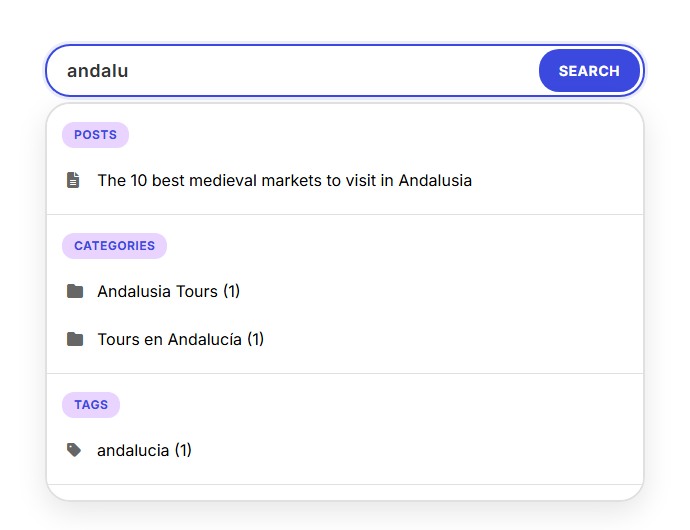
- Live autocomplete for posts, categories and tags, with configurable limits.
- “Did you mean?” suggestions for queries that return no results.
- Term highlighting in the results.
- Floating global search tab available site-wide, with an optional keyboard shortcut.
- Gutenberg “Search Button” block, the
[ffinder_search]shortcode, a classic widget and a nav-menu item. - Optional replacement of the theme’s native search form.
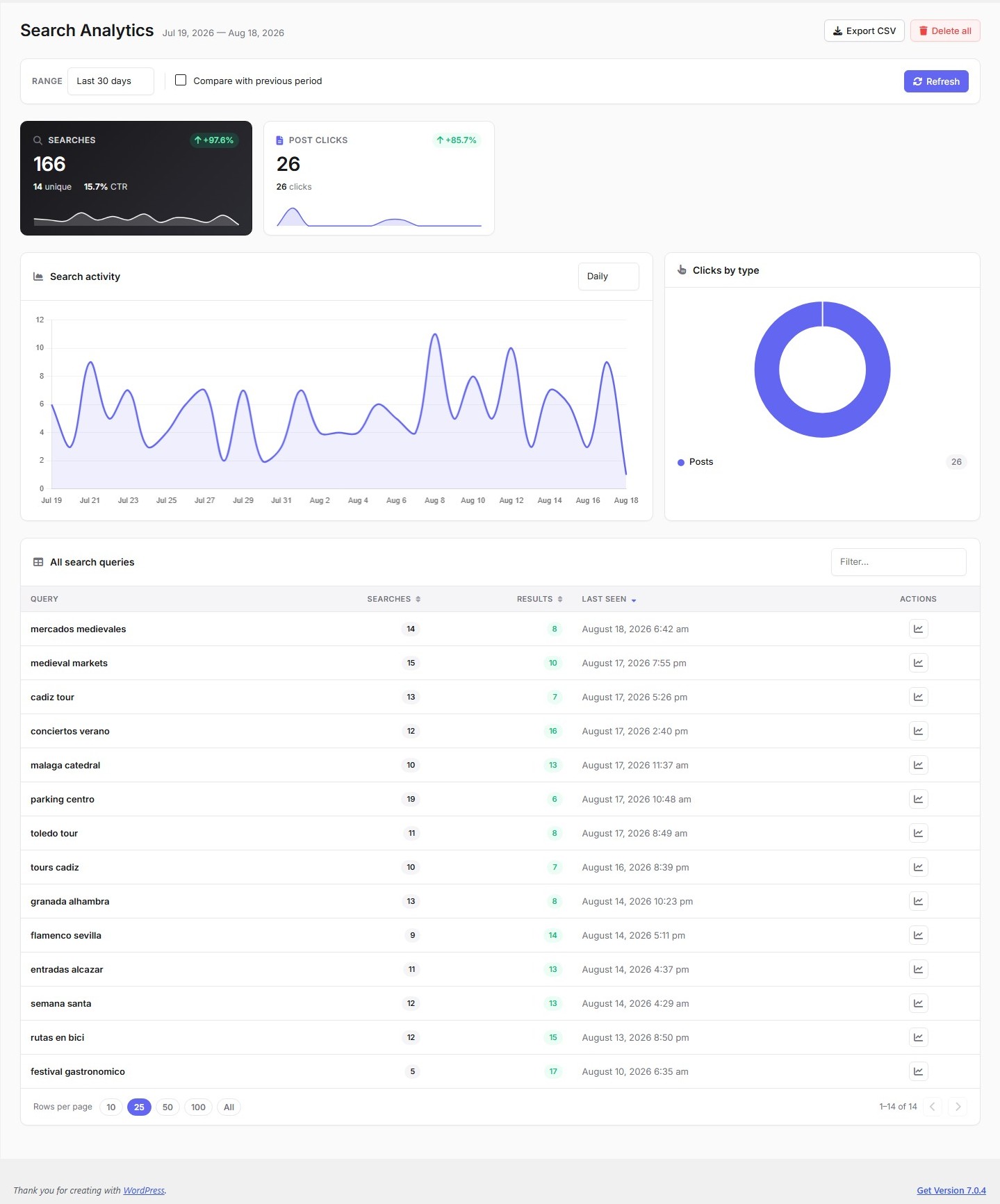
Search analytics dashboard
- KPIs: total searches, unique queries, success rate, average results.
- Interactive activity charts over configurable time ranges.
- Top queries, top clicked results and queries without results (content gaps).
- Click tracking on results.
- One-click CSV export of the analytics table.
Performance & maintenance tools
- Denormalized search index with an incremental daily refresh.
- Cached responses for repeated queries.
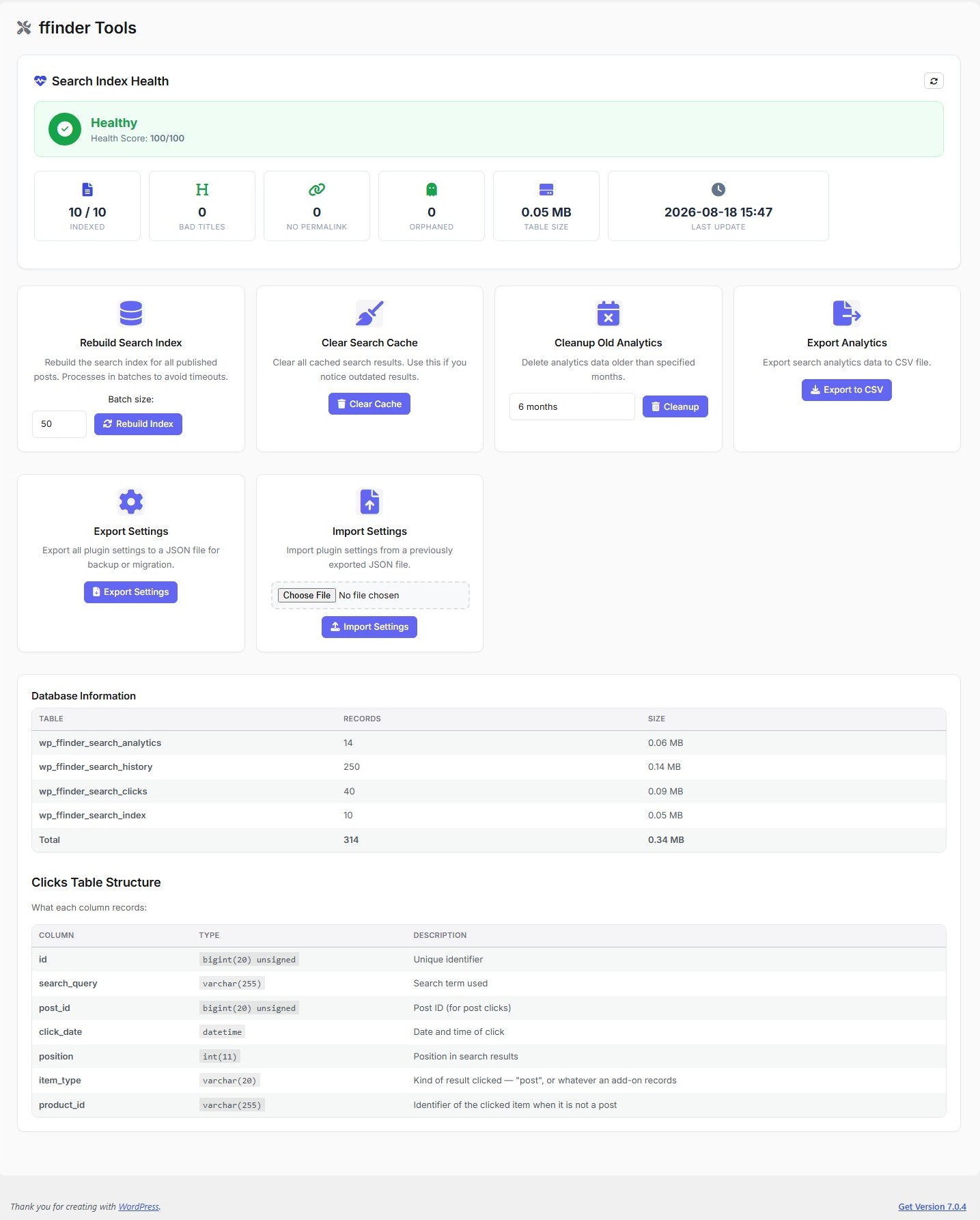
- Index health diagnostics and a batched “Rebuild index” tool.
- Settings export / import.
Privacy
ffinder does not contact any external service. No data leaves your site: searches, clicks and analytics are stored only in your own WordPress database, and all bundled assets (Font Awesome, Chart.js) are served locally rather than from a CDN.
Search records are stored in ffinder’s own tables and include the visitor’s IP address and user agent, which is what makes bot filtering and rate limiting possible. You can delete this history at any time from ffinder Analytics, and enabling “Delete all data on uninstall” in the settings removes every ffinder table and option when the plugin is deleted.
A note on ffinder Pro
A separate paid add-on adds product search — from WooCommerce or from an external feed, with a Products tab in the results and products in autocomplete — plus GA4 revenue attribution, advanced analytics (conversion funnel, activity heatmap, content-opportunity drill-downs), trending searches, voice search, featured products and search-quality regression testing. It is an independent plugin: nothing in this plugin depends on it, is disabled without it, or checks for a licence.
Screenshots
Blocks
This plugin provides 1 block.
- FFinder Search Button Add a search button to open the FFinder search modal
Installation
- Upload the
ffinderfolder to/wp-content/plugins/, or install the ZIP from Plugins Add New Upload Plugin. - Activate the plugin through the Plugins menu.
- Go to ffinder Settings to configure search behaviour and appearance.
- Add a search box with the block, the widget, or the shortcode
[ffinder_search]. - (Optional) Enable the floating global search tab under ffinder Settings General.
FAQ
-
How do I add the search box to my site?
-
Use the ffinder Search Button block, the classic widget, a nav-menu item, or the
[ffinder_search]shortcode in any page or post. -
Does it replace the default WordPress search?
-
Optionally. Enable “Replace theme search” in the settings to have ffinder take over your theme’s search form automatically.
-
Which content does it search?
-
Standard posts. Product catalogues — WooCommerce or an external feed — are searchable through the paid add-on.
-
Is the analytics data sent anywhere?
-
No. ffinder makes no outbound requests at all. Everything is stored in your own WordPress database.
-
What happens to my data when I uninstall?
-
By default your index and analytics are preserved, so a reinstall keeps working. If you enable “Delete all data on uninstall” in the settings, all ffinder tables and options are removed when you delete the plugin.
-
Why is the search index empty right after activating?
-
The index is built in the background. To fill it immediately, go to ffinder Tools and run Rebuild index.
Reviews
There are no reviews for this plugin.
Contributors & Developers
“ffinder – Search & Analytics” is open source software. The following people have contributed to this plugin.
Contributors
Translate “ffinder – Search & Analytics” into your language.
Interested in development?
Browse the code, check out the SVN repository, or subscribe to the development log by RSS.
Changelog
1.4.1
- The ffinder Pro page now illustrates each feature with a diagram of what it does, drawn inline so it costs no extra request and always matches the admin palette.
- Added a compact Pro panel to the ffinder Dashboard. It appears only on that screen, and disappears entirely once the add-on is installed.
1.4.0
- Product search now lives entirely in the paid add-on. This plugin no longer indexes, searches or displays products, and no longer creates the tables behind them.
- Added extension points so add-ons can contribute to the search UI without this plugin knowing what they add: extra result tabs, extra autocomplete sections, extra activity-chart series, extra click types and settings-driven CSS.
- Click tracking is now type-agnostic: an add-on records its own kind of result through the same table posts use.
- Removed the search results cache table. Nothing had written to it since response caching moved to transients, so it was dropped along with the code that read it.
1.3.0
- All features in this plugin are now free and fully functional; paid extras moved to a separate add-on plugin.
- The analytics dashboard was rebuilt on the shared design system, with KPI sparklines, period comparison and a filterable queries table.
- Every stylesheet and script is registered through the WordPress enqueue API — no inline
<script>or<style>output remains. - Added a standard
uninstall.phpwith the same conservative cleanup behaviour. - Hardened settings import: uploads are validated and sanitized before being stored.
- Added
wp_unslash()throughout input handling, and documented the nonce strategy for read-only admin filters. - Updated the bundled Chart.js to 4.5.1.
- Translations are now delivered through translate.wordpress.org instead of being bundled.
1.2.0
- Analytics: “View all” modals with date filtering and CSV export for content opportunities and top posts, plus rows-per-page pagination on the queries table.
- Incremental daily index refresh (replaces the full nightly rebuild) with index health diagnostics.
- “Did you mean?” precomputed suggestions for zero-result queries.
- Performance: denormalized index columns and results cache.
1.0.0
- Initial release: indexed FULLTEXT search, autocomplete, analytics dashboard, click tracking, CSV export, global search tab and customizable appearance.