
Description
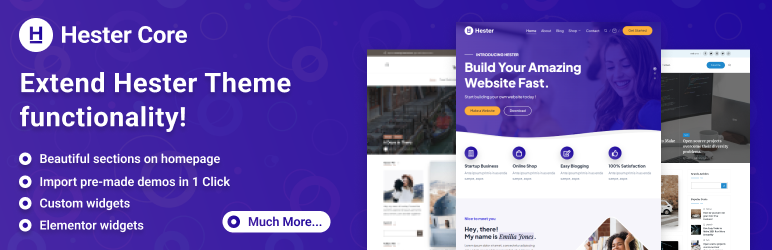
Hester Core is the optional companion plugin for themes by Peregrine Themes. It extends functionality and unlocks additional features for supported themes.
With Hester Core, you can:
- Add exclusive widgets and modules.
- Access advanced Customizer options.
- Use additional Elementor widgets.
- Import pre-built demos.
Hester Core makes it easy to set up your website quickly, customize layouts, and create a professional design — without touching any code.
Features
- One-click demo import for Peregrine Themes.
- Custom widgets and sections for the WordPress Customizer.
- Extended design and layout settings.
- Exclusive Elementor widgets for dynamic content.
- Seamless compatibility with Gutenberg and major page builders.
Elementor Widgets
- Animated Heading – Heading with animated text effects.
- Contact Form 7 – Style Contact Form 7 forms.
- Flip Box – Animated box with front/back content.
- Off Canvas – Trigger and display an off-canvas panel.
- Posts – Blog posts grid/feed widget.
- Pricing – Pricing table widget.
- Ajax Search – Live search for products, posts, or pages.
- Slides – Hero/content slider with slide options.
- Tabs – Content tabs with WooCommerce shortcode support.
- Woo – Add To Cart – Add to cart button for selected product.
- Woo – Categories – WooCommerce categories grid.
- Woo – Products – WooCommerce products grid.
- Woo – Carousel – WooCommerce products carousel.
Installation
Automatic Installation
Automatic installation is the easiest way to install Hester Core as WordPress handles the file transfers itself. To do an automatic install of Hester Core, log in to your WordPress dashboard, navigate to the Plugins menu and click Add New.
In the search field type “Hester Core” and click Search Plugins. Once you’ve found our plugin simply click “Install Now”. After the installation has finished, click the “Activate Plugin” button.
Manual Installation
- Upload the “hester-core.zip” folder to your “/wp-content/plugins” directory or alternatively upload the “hester-core.zip” file via the “Add New” button in WordPress plugins page.
- Activate Hester Core.
FAQ
-
I installed the plugin but nothing happened
-
Hester Core is a companion plugin for the Peregrine Themes theme and will only work with the theme installed and activated.
-
What Elementor features does this plugin provide?
-
Hester Core adds 13 powerful Elementor widgets for the page builder, including Slides, Posts Grid, Pricing Tables, WooCommerce widgets (Products, Categories, Add to Cart, Carousel), and more. All widgets are fully customizable with advanced styling controls.
Reviews
There are no reviews for this plugin.
Contributors & Developers
“Hester Core” is open source software. The following people have contributed to this plugin.
Contributors
Translate “Hester Core” into your language.
Interested in development?
Browse the code, check out the SVN repository, or subscribe to the development log by RSS.
Changelog
1.1.2
- Fixed enqueued assets (CSS/JS) URL.
1.1.1
- Included missing JS files.
- Refactored asset paths in Assets_Manager and enhance Morphext functionality in hester-widgets.js.
- Added admin notice to showcase “Elementor widgets” support.
- Removed unnecessary “unsupported theme” notice from class-hester-core-admin.php file.
1.1.0
- Added Elementor widgets: Animated Heading, Contact Form 7, Flip Box, Off Canvas, Posts, Pricing, Ajax Search, Slides, Tabs, and WooCommerce widgets (Add To Cart, Categories, Products, Carousel).
1.0.10
- Importer updated to 0.9.5.
- Blogsy theme support added.
1.0.9
- Update call to
post_existsto includepost_typein the query - PHP 8.4 compatibility fixes.
- Improved demo import performance.
- Fix a bug on deserialization of untrusted input.
- Update compatibility tested-up-to to WordPress 6.8.
1.0.8
- BlogHash theme support added.
- Widget issue fixed.
1.0.7
- Bloglo theme support added.
1.0.6
- Theme template name added.
- Unnecessary code remove.
- Style issues fixed.
1.0.5
- Fixed issues.
- Hester lite layouts default value changed.
- Hester lite demo update.
- Hester lite hero image changed.
1.0.4
- Language file update.
1.0.3
- Added home section order default value.
1.0.2
- Header layout default value change.
- Slider default value change.
- Slider style setting added.
- Tablet mode info section top spacing set.
1.0.1
- New demo category added
1.0.0
- Initial release 🚀