

Description
Simbe AI Website Care keeps your WordPress site healthy by monitoring your plugins against WordPress.org data and flagging common configuration problems in one place.
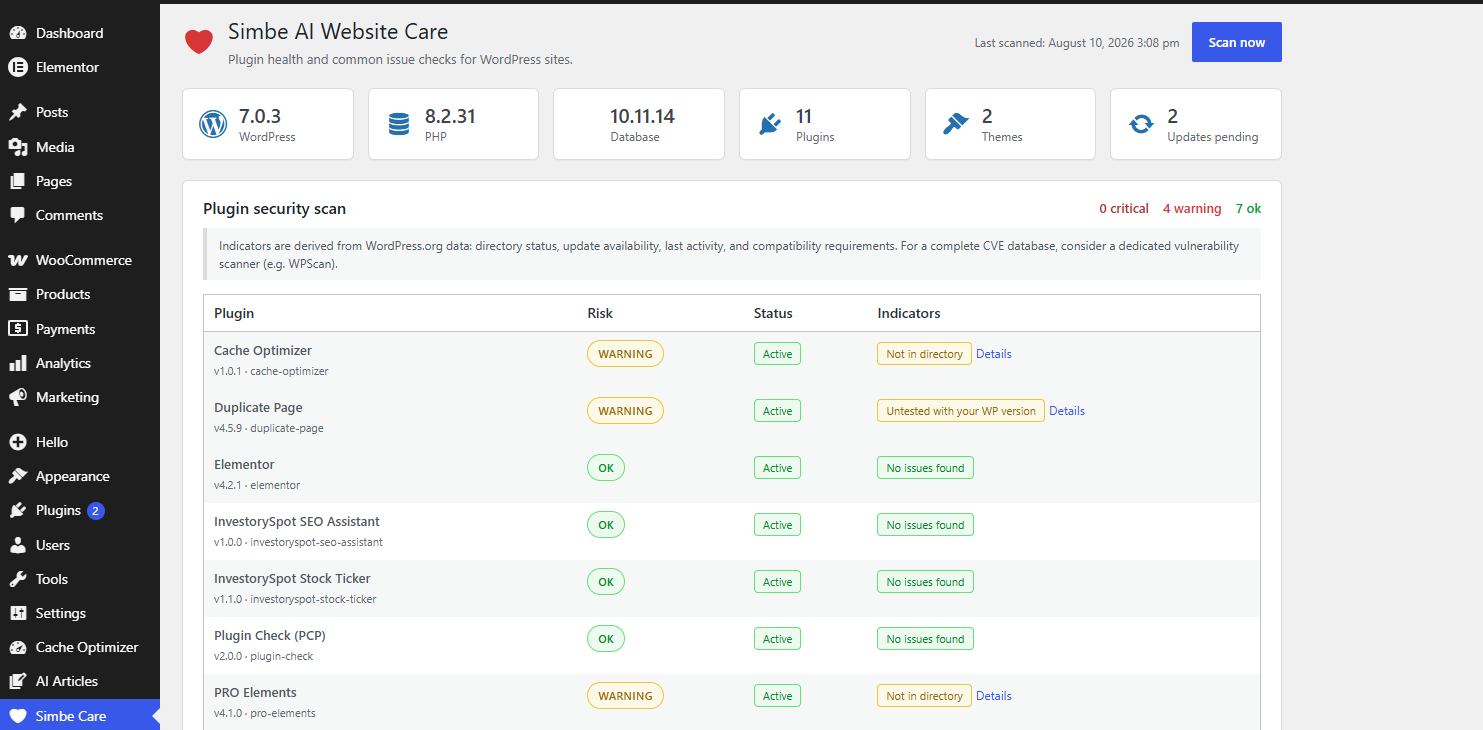
Plugin security scan
Every installed plugin is checked against the WordPress.org plugin directory and flagged when:
- It was closed and removed from the directory (often for security reasons)
- It is no longer listed (premium or custom plugins)
- An update is available and has not been applied
- It is not tested with your WordPress version
- It has not been updated for a long time (possibly abandoned)
- It requires a newer PHP or WordPress version than your site runs
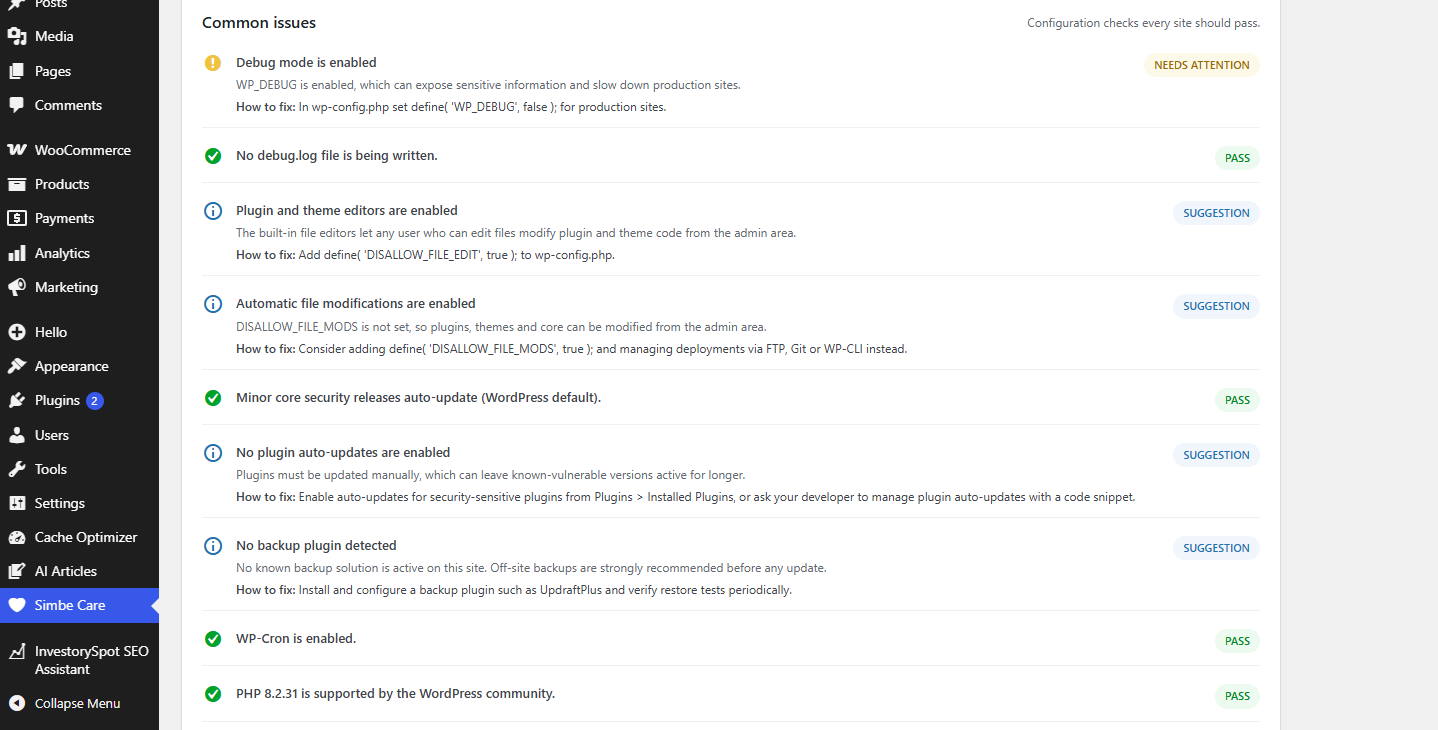
Common issues checklist
A guided checklist of the checks every site should pass, including debug mode, file permissions, HTTPS, PHP/database versions, auto-updates, backups, WP-Cron, memory limit and more.
Native Site Health integration
Simbe Care adds its checks directly to Tools > Site Health, so you get one consolidated health report per site.
Built for agencies
Each site is checked in a single dashboard. Run scans manually or on a schedule, keep results cached, and review an at-a-glance risk summary. Ideal for freelancers and agencies that want a quick health overview before taking action on any client site.
Why only WordPress.org data?
This plugin deliberately uses only free, public WordPress.org data, so it works on any site with no API keys. For a full CVE database, pair it with a dedicated vulnerability scanner such as WPScan.
Screenshots
FAQ
Does this plugin use AI?
Not in this version. The free, open-source release focuses on detecting plugin risk indicators and listing common issues without any external AI service. AI-assisted guidance is planned for a future premium release.
Do I need an API key?
No. All checks use free, public WordPress.org endpoints.
How often are checks run?
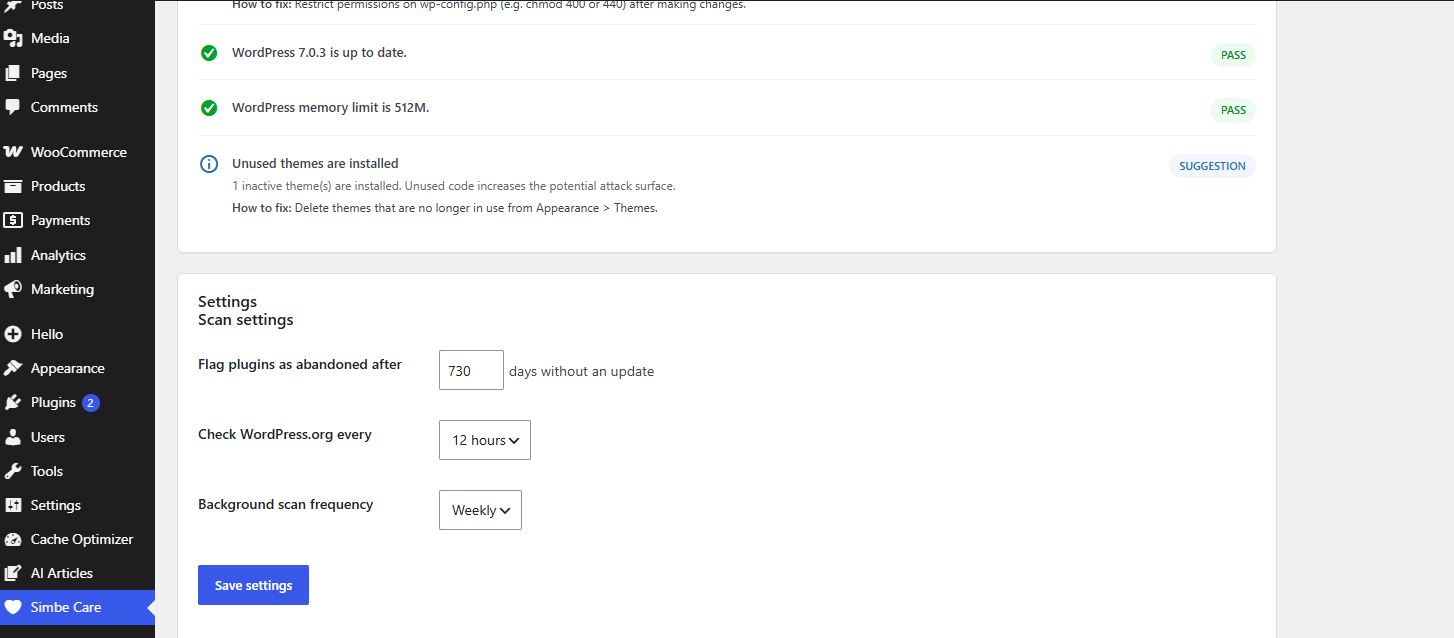
A background scan runs on the schedule you choose (daily or weekly). You can also run a scan at any time with the “Scan now” button. Results are cached between runs.
Will this update or deactivate my plugins?
No. Simbe Care is read-only. It reports risk indicators and issues, but never modifies plugins, themes or files. For guidance it points you to the relevant WordPress admin screens.
Can it detect all CVEs?
No. WordPress.org does not publish a full CVE database. Indicators here are directory status, update availability, activity and compatibility. Use a dedicated vulnerability database (e.g. WPScan) for complete CVE coverage.
Reviews
There are no reviews for this plugin.
Contributors & Developers
“Simbe AI Website Care” is open source software. The following people have contributed to this plugin.
Contributors
Translate “Simbe AI Website Care” into your language.
Interested in development?
Browse the code, check out the SVN repository, or subscribe to the development log by RSS.
Changelog
1.0.0
- Initial release.
- Plugin security scan against the WordPress.org directory (closed/removed, updates, tested versions, abandoned plugins, PHP/WP requirements).
- Common issues checklist (debug mode, HTTPS, permissions, auto-updates, backups, WP-Cron, memory and more).
- Native Site Health integration with seven additional checks.
- Single dashboard page with at-a-glance risk summary and scheduled background scans.